Email Settings
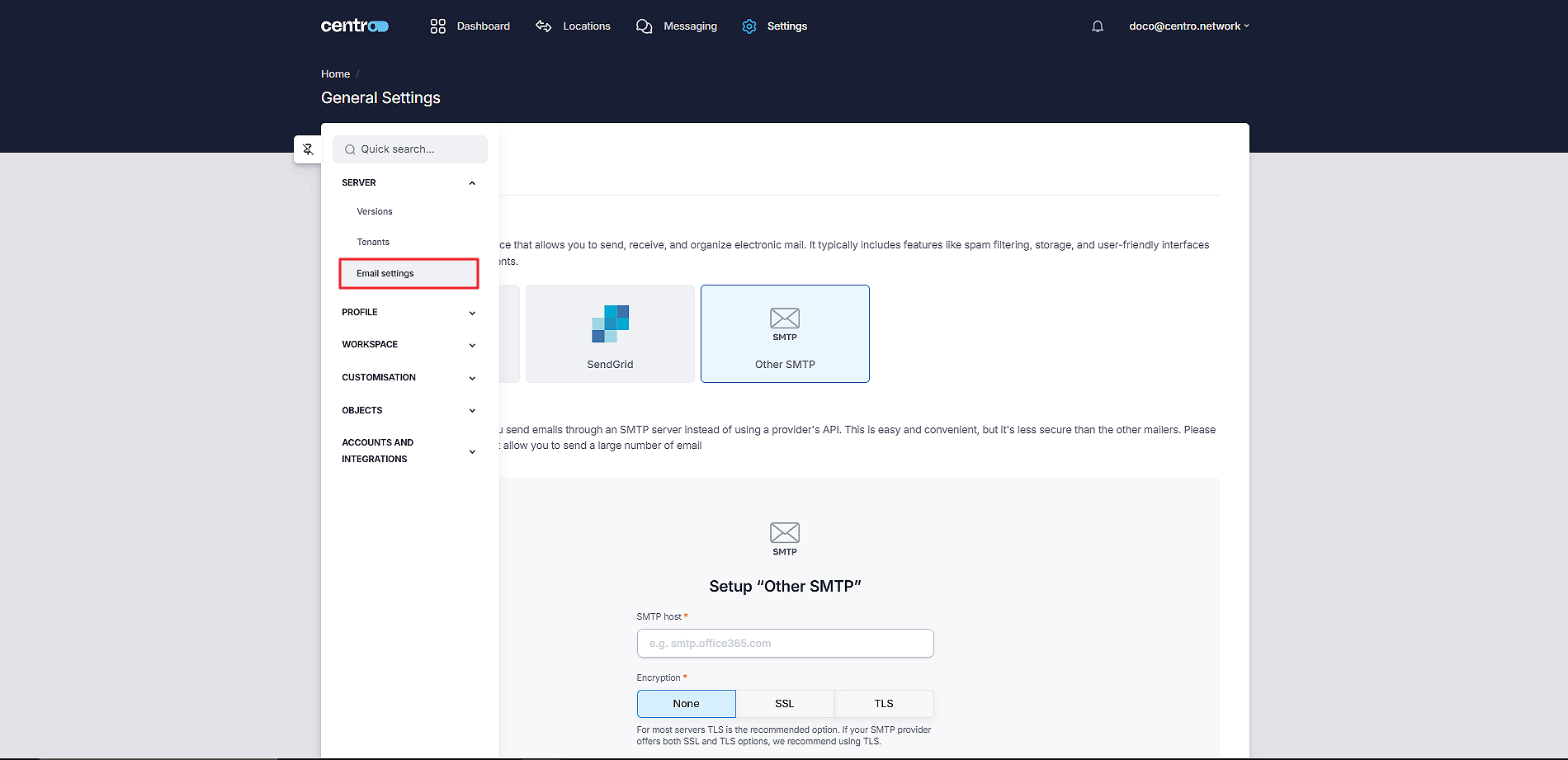
To set up an email provider, you can go to the Email Settings.
-
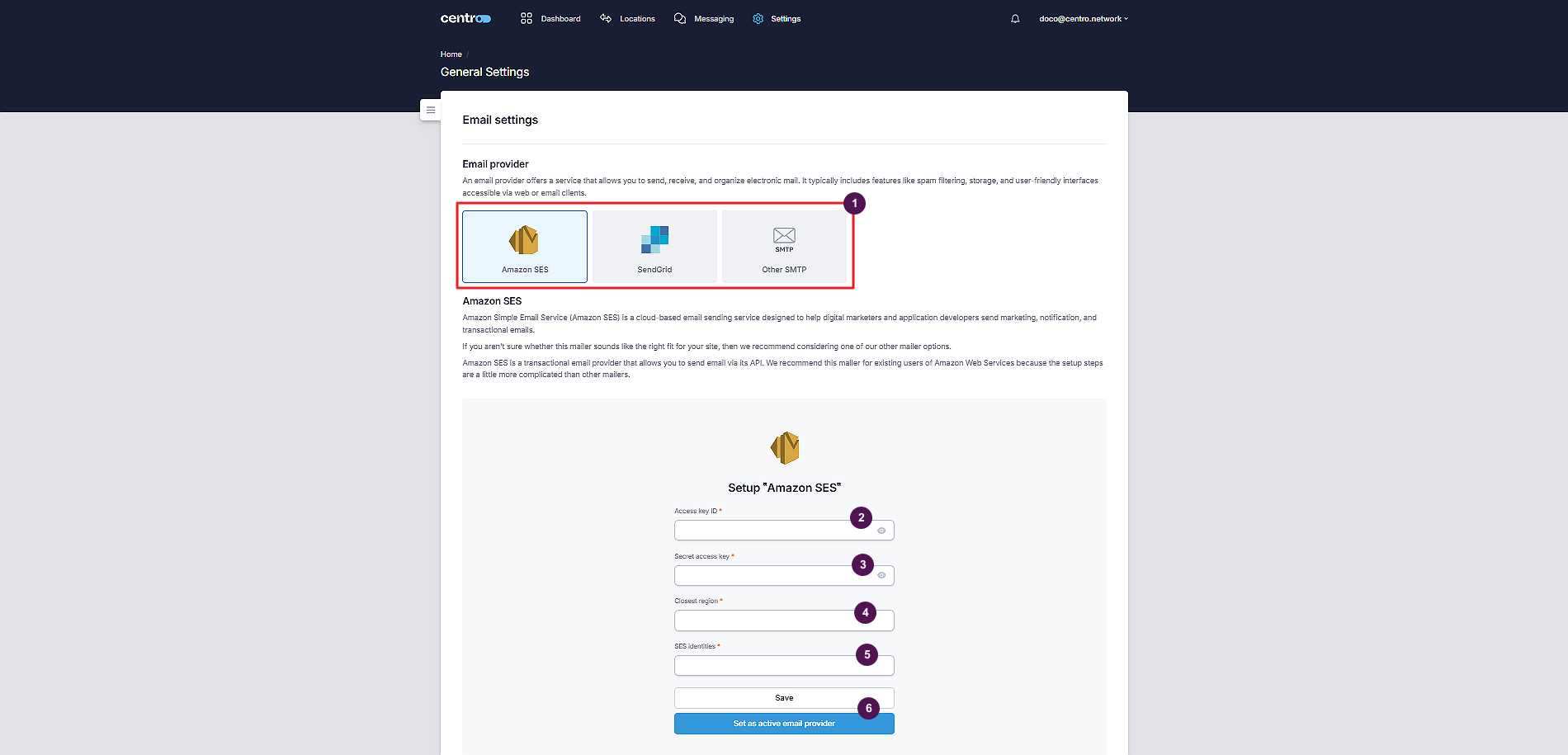
Select an email provider.
-
Enter your access key ID.
-
Enter the secret access key.
-
Select the closest region.
-
Set SES identifiers.
-
Click Save or Set As Active Email Provider button.