Centro System Manager for Crestron
Centro's management of a site's locations, running on a Crestron processor on site. It needs no cloud to run.
What it is
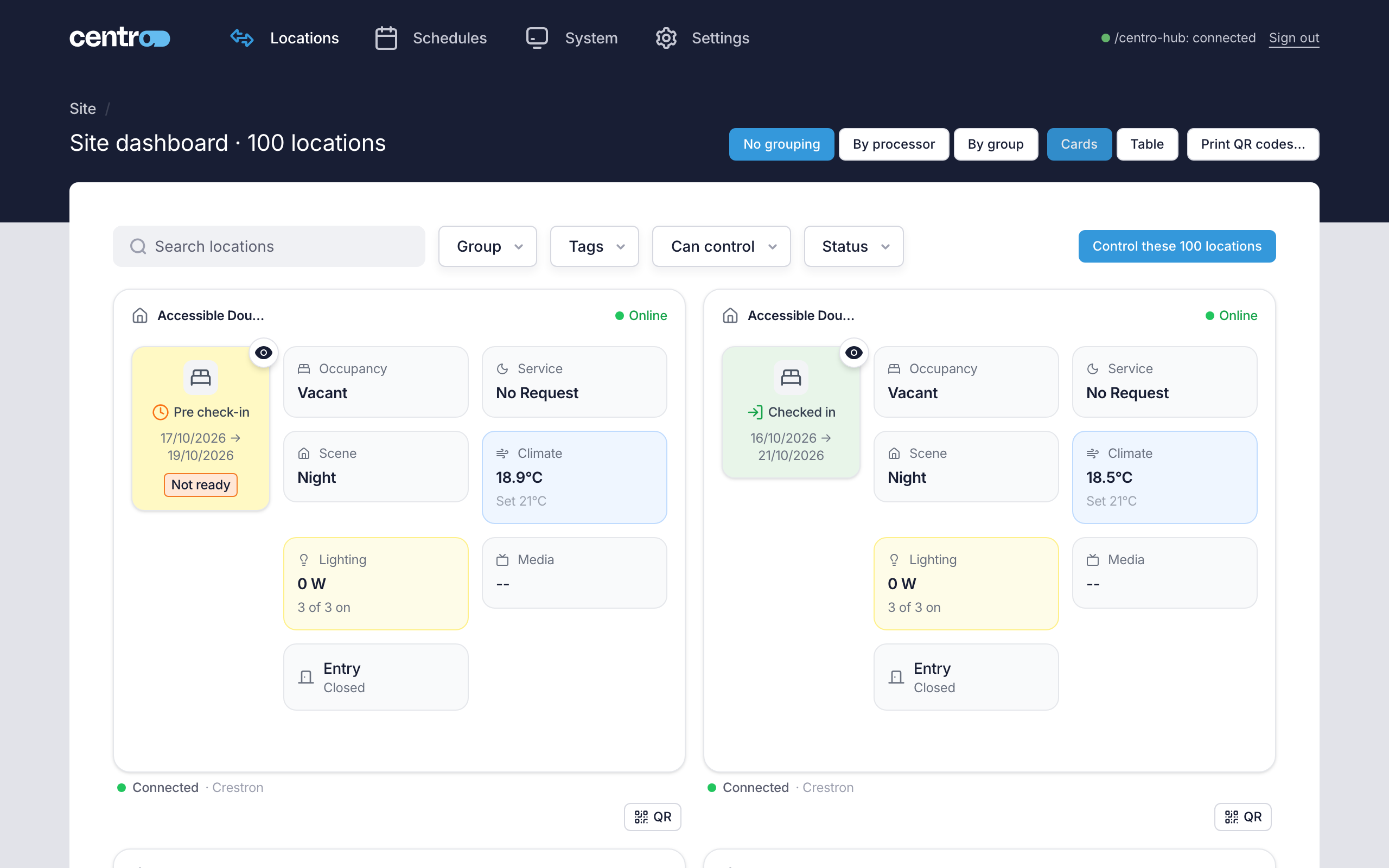
Centro System Manager for Crestron is a program you load onto a Crestron processor. Once it's running, you open it in a browser on the site's network and use it to see and control every location: lighting, climate, shades, scenes, housekeeping and the user's requests such as do not disturb and make up room. A site can also keep each location's stay on it — check-in, check-out and expected arrivals — entered by staff or sent by its property management system.
The locations come from the Crestron systems already on site. Crestron Home processors and Crestron Custom connect to it, and each location they control appears on the site dashboard. Locations, schedules and settings are kept on the processor, and the locations keep working without an internet connection. One thing leaves the site by default: a copy of the processor's log, sent to Centro so support can see a problem. A site that allows no outbound traffic turns that off under Settings → Settings → Logs.
Who it's for
- Installers load the program, connect the Crestron systems and hand the site over.
- Site operators use it day to day to watch locations, send commands, run schedules, check users in and out and give users access.
- Developers connect other systems to it — a property management system, an integration or an AI assistant — with an API key.
Choose your level
Quick guide
The shortest path to a working site. One screen per page, with numbered steps.
- Set up Centro System Manager for Crestron — for installers
- Run your site — for site operators
Where next
Install and commission
Load the program, sign in, work through setup and connect the Crestron systems.
Run your site
The site dashboard, location control, stays, commands to many locations and schedules.
User App access
The User App, User App QR codes and touch screens.
Troubleshooting
What to check when something isn't working, and how to get support.
Reference
Ports and network details, and a glossary of the terms these pages use.