Alert rules
Settings → Notifications → Alert rules sets when Centro System Manager for Crestron raises each of its own alerts. The thresholds apply to every recipient and to the System dashboard.
Who is emailed about which alert is chosen per recipient, under Email.
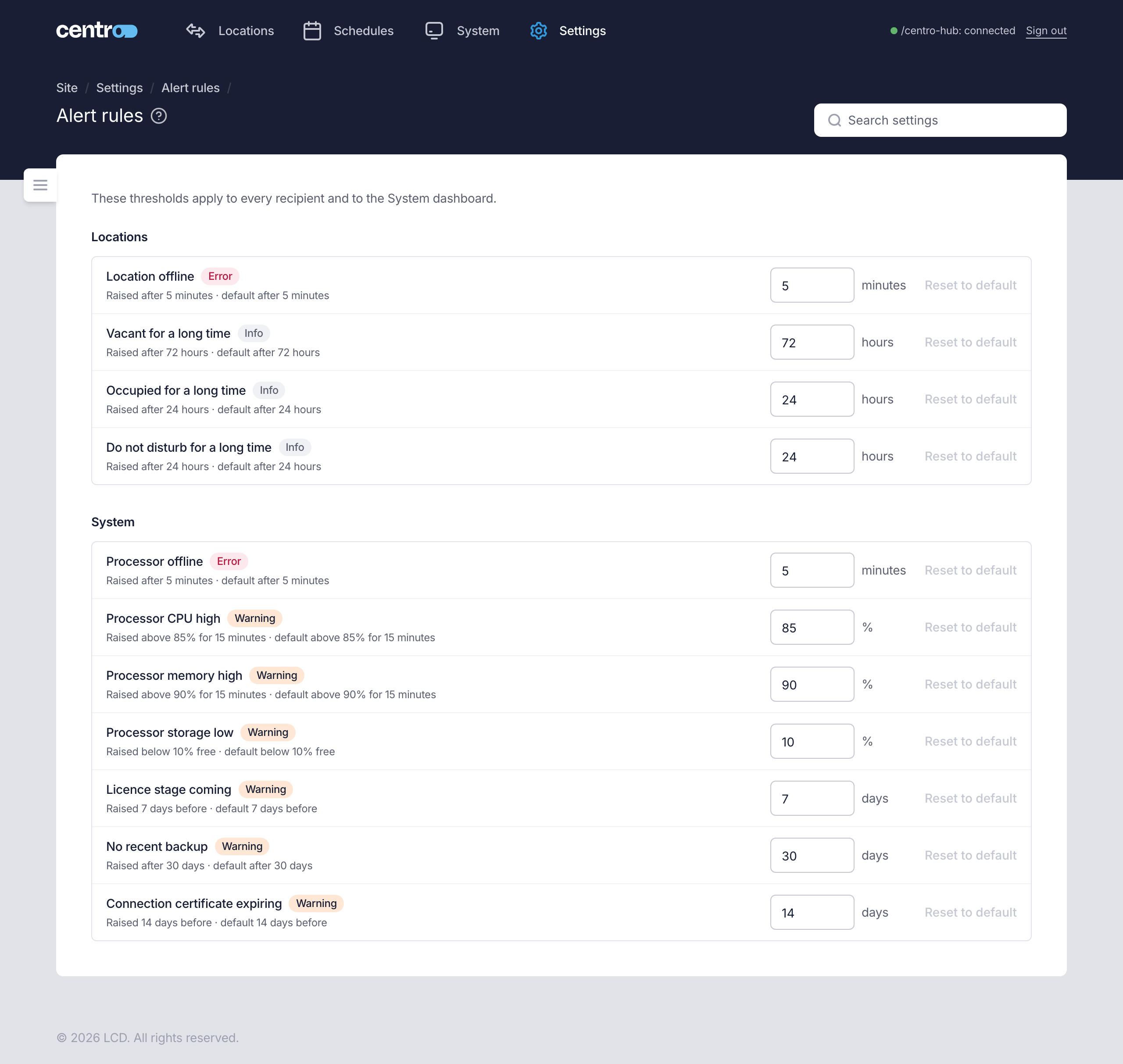
The rules
Each row shows the alert, its severity (Info, Warning or Error), the threshold now and the default.
Locations
| Alert | Raised | Default |
|---|---|---|
| Location offline | After the location hasn't reported for this long. | 5 minutes |
| Vacant for a long time | After the location has been vacant for this long. | 72 hours |
| Occupied for a long time | After the location has been occupied for this long. | 24 hours |
| Do not disturb for a long time | After do not disturb has been on for this long. | 24 hours |
System
| Alert | Raised | Default |
|---|---|---|
| Processor offline | After the processor hasn't been reachable for this long. | 5 minutes |
| Processor CPU high | When CPU use stays above this for 15 minutes. | 85% |
| Processor memory high | When memory use stays above this for 15 minutes. | 90% |
| Processor storage low | When free space falls below this. | 10% |
| Licence stage coming | This long before a licence moves to its next stage, such as a trial ending. | 7 days |
| No recent backup | After this long without a backup. | 30 days |
| Connection certificate expiring | This long before a connection's certificate runs out, between 1 and 14 days. The certificate warning on the Connections page follows it too. | 14 days |
Change a threshold
- Type the new number beside the alert. The page says if it is outside the range the alert allows.
- Select Save in the bar at the foot of the page.
Reset to default puts one alert back to its default.
Things to know
- The rules are the same for everyone. A recipient can't have a threshold of its own.
- Alerts that a location's own system reports, such as Water leak or Door held open, have no threshold here: the location system decides when to raise them.
- Some system alerts have no threshold either, such as Processor clock wrong and Site certificate expired. Recipients can still choose to be emailed about them.
- The stay alerts — Location not ready, Stay taken over by the PMS and A stay was refused: the location is held by another source — have no threshold. See Stay alerts.