Administrators
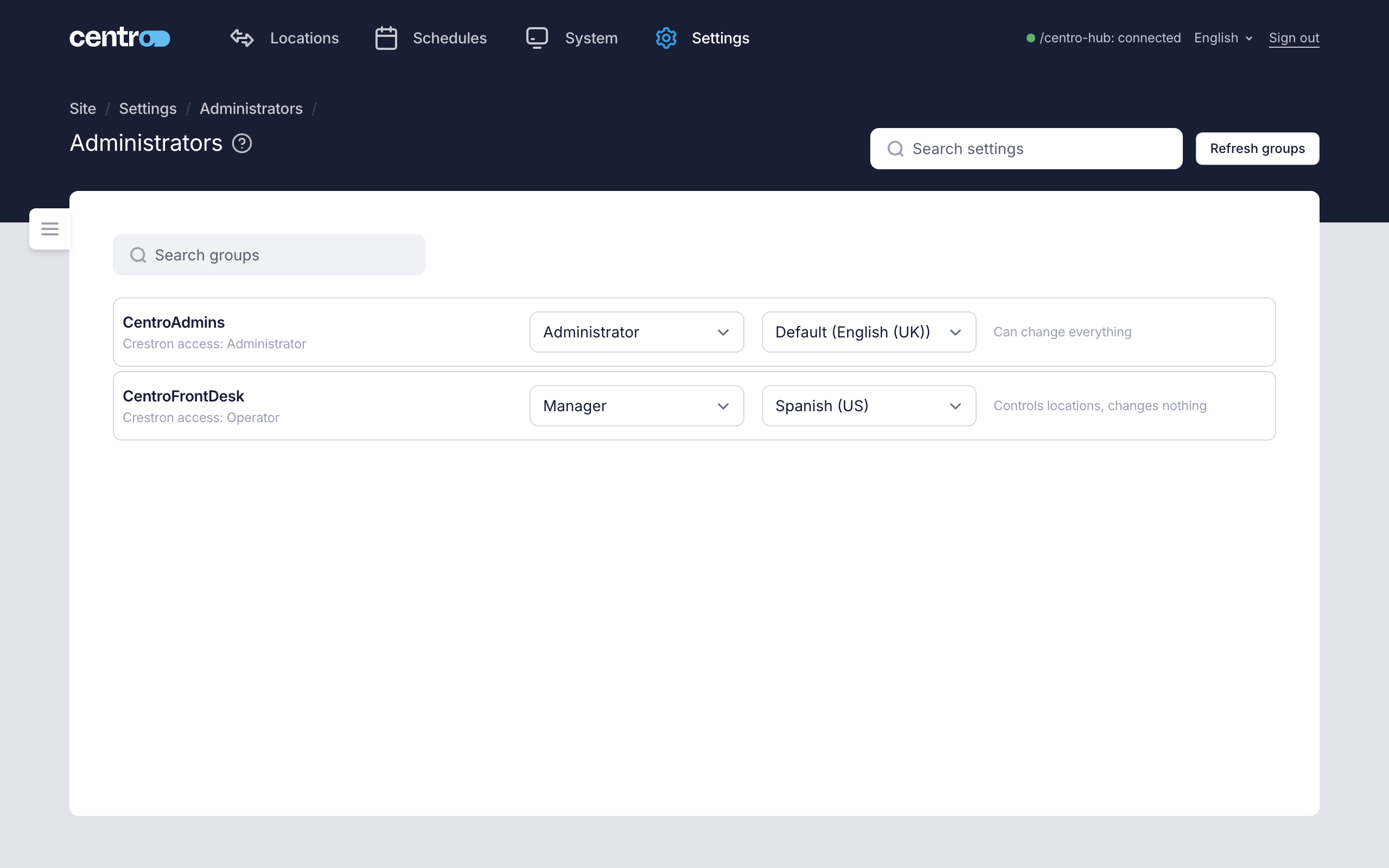
Settings → Access → Administrators decides which of the Crestron processor's groups can administer Centro System Manager for Crestron, and which can only use it.
People sign in with their Crestron processor accounts. Centro System Manager for Crestron has no accounts of its own: it reads the processor's groups, and you give each group a role.
Roles
Each group the processor reports is a row, with the group's access level on the processor beneath its name. Choose its role under Type.
| Type | What its members can do |
|---|---|
| Administrator | Change everything. |
| Manager | Control locations and change no settings. What a Manager may do is narrowed further under General. |
| — No access | Nothing. Members cannot sign in. |
Someone in no mapped group can't sign in at all. The sign-in page tells them: "You signed in on the processor, but none of your groups has been given access to Centro System Manager for Crestron. Ask an administrator to map your group."
A changed row is marked Unsaved until you select Save in the bar at the foot of the page. The group you signed in with is marked Your group.
Language
Each group with a role can have a language of its own, chosen in the column beside Type: what its members see Centro System Manager for Crestron in until they choose their own. Leave it on Default (…) to use the Default language set under General. Someone in two groups with different languages gets the Default language. A group set to — No access has no language.
Before any group is mapped
To start with no groups are mapped, so anyone with Administrator access on the processor can administer Centro System Manager for Crestron. The page says so in a notice. That stops as soon as you save a mapping.
Refresh groups
The list is the groups last read from the processor. After adding or renaming a group on the processor, select Refresh groups and enter a Crestron administrator's username and password. The password is used for this one read and isn't stored.
The processor's groups are read only when a Crestron administrator signs in, and the list isn't kept across a restart. So after a restart the list is empty until an administrator on the processor signs in, or you use Refresh groups. The saved mapping is not affected.
A wrong password in the Refresh groups dialog counts as a failed sign-in. See Sign-in security.
A group that is mapped here but is no longer on the processor is marked Not on the processor. It stays in the list until you set it to — No access and save.
Things to know
- At least one group must be an Administrator. A change that would leave no Administrators is refused.
- The processor locks an account after repeated failed sign-ins, and sign-in is paused before that point. See Sign-in security.
- If authentication is switched off on the processor, nobody can sign in. The page says so. It is a setting on the processor, not a password problem: turn it on in the Crestron setup tool.
- If the processor's group list can't be read, the page shows only the saved mapping.